

The missing feedback for your Chinese.
Get help finding the right words while you text or talk, understand what natives really mean, and remember it for next time.

Your mistakes
keep slipping through.
Lessons miss real chats. Translators teach you nothing. Friends are too polite to correct you.
Nobody corrects
your Chinese.
didao does.
Before you send, see what a native would say instead, what changed, and why it’s better.
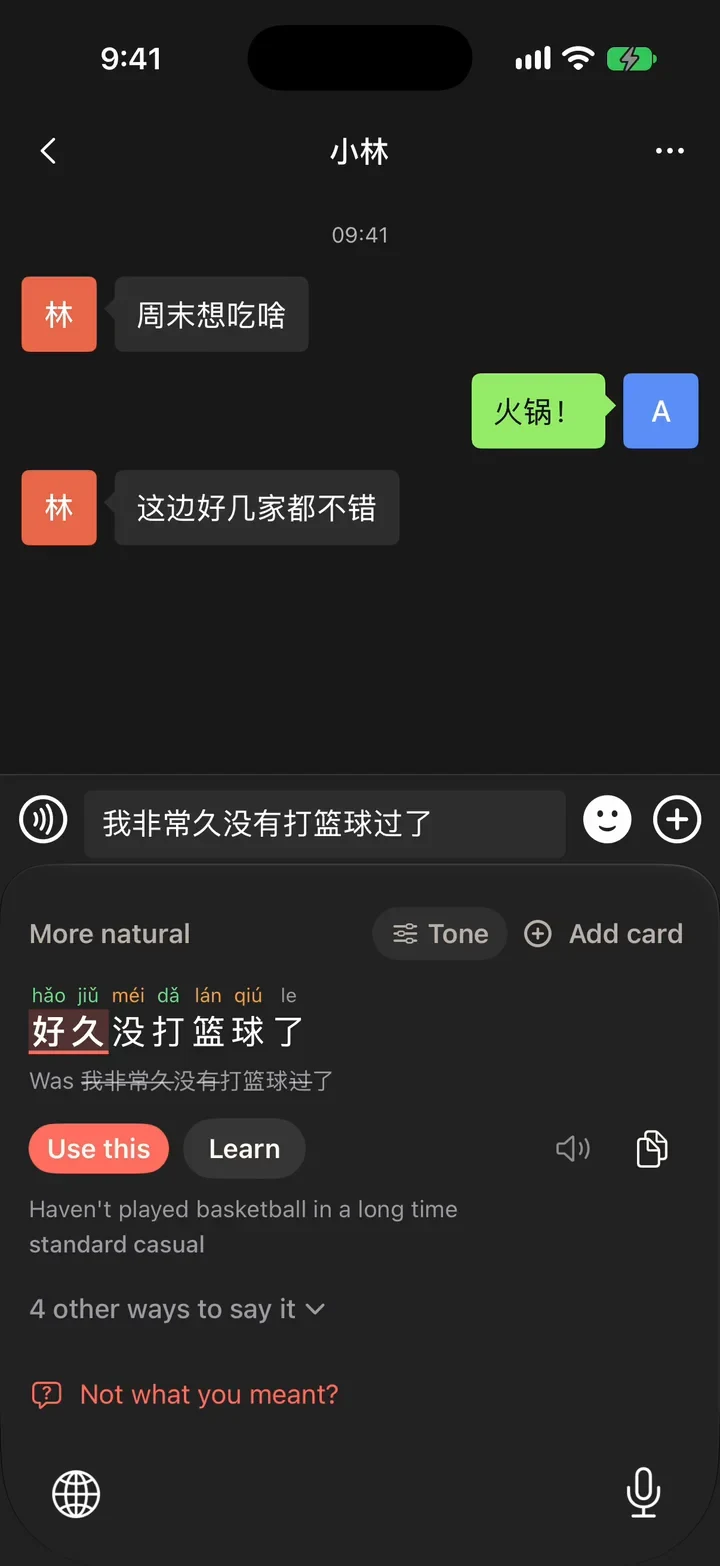
Stuck mid-text?
Leave it in English.
Type what you can and leave the missing word in English. The didao keyboard fills it with natural options, pinyin, and when each fits.
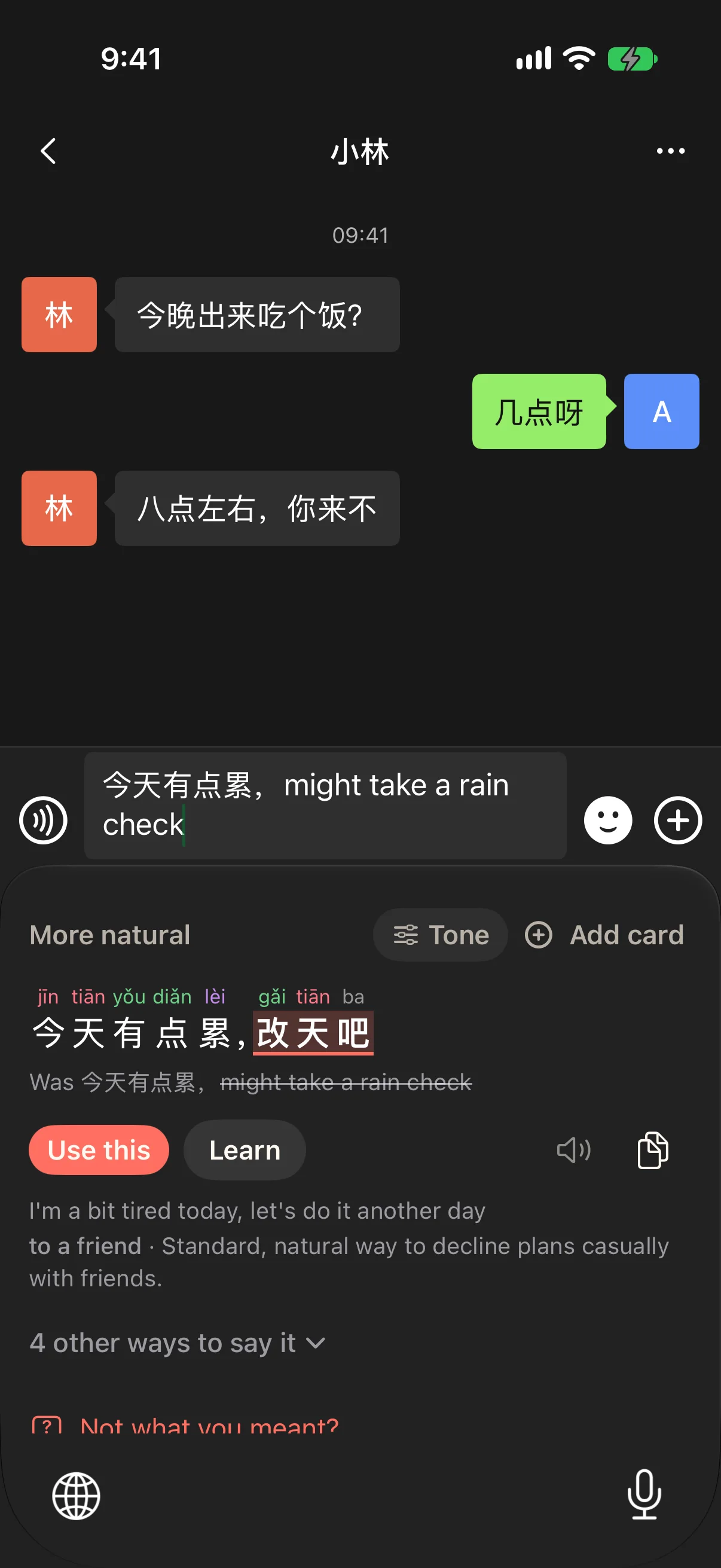
Stuck mid-sentence?
Hear it in your earbuds.
Press your shortcut and say it in English, Chinese, or both. DaoDao whispers the natural Chinese so you can keep talking.
Read any Chinese
on your screen.
Share a screenshot or photo of a chat, menu, or sign. Tap any word for its meaning in context and pinyin, and save the ones worth learning.
Know what words
really mean.
Look up any word or phrase for meaning, pinyin, and real examples. Ask DaoDao about the tone and context a dictionary can’t give you.
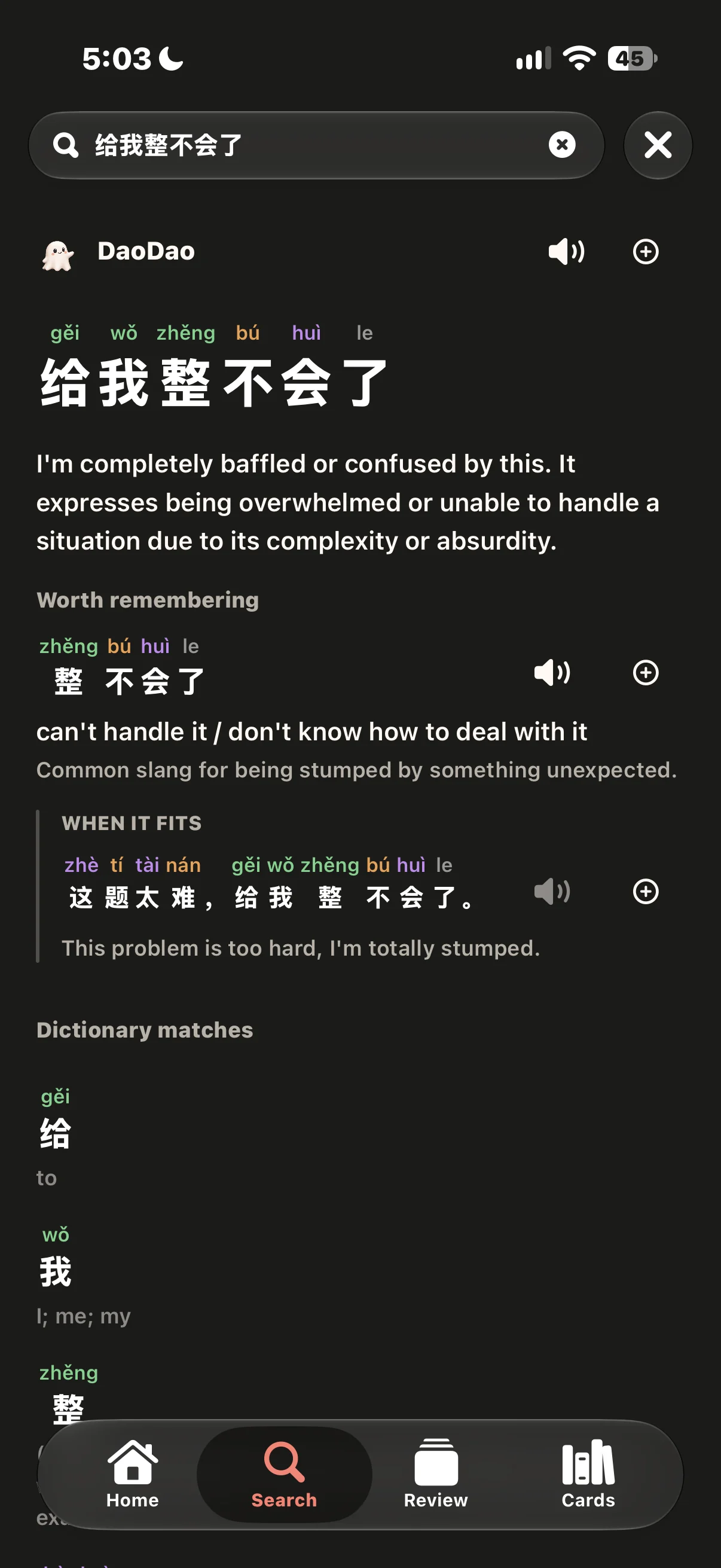
Stop looking up
the same word twice.
Save words and phrases from your chats and screenshots. Quick reviews bring each one back right before you’d forget, so next time you say it without help.
Questions?
Something else? Ask us.
Does didao replace my keyboard?
No. Use the globe key to switch to didao when stuck, then switch back. Keep your usual keyboard for pinyin typing.
Is didao a translator app?
didao is built around learning from what you’re trying to say. It can translate, but it also helps you work with the Chinese you already know, understand unfamiliar wording, and practice useful expressions afterward. Getting the message across and learning from it are part of the same process.
I’m an absolute beginner. Is didao for me?
Yes. You can start with English, mix in whatever Chinese you know, and get help expressing the thought. Pinyin, audio and explanations help you understand the result. Use it alongside your lessons to start saying things that matter to you.
Can I use it when speaking, too?
Yes. Open Voice Rescue and say what you’re trying to say, using Chinese, English or a mix. didao turns it into natural Chinese and automatically plays it through your connected earbuds, so you can keep the conversation going.
Why use didao instead of ChatGPT?
didao connects getting help with learning from the answer. You can get wording help where you’re typing, check what an expression means, and save it to built-in review. There’s less copying between apps and less work turning an answer into something you can practice.
How does didao help me remember what I learn?
didao has built-in spaced repetition: practice spread over time, with each review scheduled around how well you remember an expression. It’s powered by FSRS-6, a modern memory algorithm that uses your review answers to estimate when you’ll need a refresher. Save useful expressions from anywhere in didao, and they become part of your personal review.
Does the keyboard read everything I type?
No. didao is private by design: DaoDao only reads the message you switch to didao on, and never passwords. We never sell your data, and your learning history stays on your phone. Read the privacy policy for details.
How much does didao cost?
didao Plus is $89.99/year (about $7.49/month, save 42%) or $12.99/month, and eligible new subscribers get 14 days free. Prices are in US dollars; the store shows your local price before you buy.
Student? Email [email protected] from your .edu address for 15% off.